11 June, 2026
Author
Getmany
Upwork AI Policy 2026: Detection Methods, Ban Cases & Safe Strategies
Last updated: June 11, 2026
The upwork ai policy permits AI-assisted proposal writing but prohibits fully automated submissions without human review. Violations trigger immediate account suspension. This guide covers the five detection methods Upwork uses, real ban cases from 2024-2026, and proven strategies for using AI tools compliantly — so your agency scales without risking its account.
The freelance landscape has shifted dramatically since 2023, with AI becoming central to how agencies compete on Upwork. Understanding how detection works and what "compliant AI use" actually means under the upwork ai policy is no longer optional — it's essential for survival on the platform.
TL;DR: Yes, Upwork Can Detect AI-Generated Proposals
Short answer: Upwork uses at least five detection layers — linguistic pattern analysis, timing anomalies, structural fingerprints, cross-account similarity, and behavioral metrics — to identify AI-generated proposals. Using AI responsibly within their guidelines is permitted; fully automated submissions are not.
Key takeaways for 2026:
- Upwork's automated systems flag proposals based on linguistic patterns, timing anomalies, and structural similarities
- The platform differentiates between AI-assisted work (permitted) and fully automated submissions (prohibited)
- Human-in-the-loop approaches remain compliant and effective
- Automation policy violations have led to significant account suspensions across the platform in 2025
- Tools that operate transparently through official APIs face significantly lower risk than web scrapers
The critical distinction lies not in whether you use AI, but how you integrate it into your workflow while maintaining genuine human oversight and customization. Getting this right under the upwork ai policy means the difference between scaling efficiently and losing your account.
What's Allowed vs Prohibited Under Upwork AI Policy
| Permitted | Prohibited |
|---|---|
| AI-generated proposal drafts with human review | Automated submission without human review |
| AI writing assistants for grammar and clarity | Bot-generated responses to client messages |
| AI job scoring and market research | Mass application systems bypassing assessment |
| Human-approved auto-replies to client messages | Web scraping tools accessing Upwork data |
| AI screening question answers (reviewed before send) | Multi-account automation with shared AI content |
What the Upwork AI Policy Actually Says in 2026
The upwork ai policy underwent significant clarification in late 2025, addressing ambiguities that previously existed around AI automation tools on Upwork. The current terms of service explicitly permit AI assistance while prohibiting fully automated client interactions.
Permitted activities:
- Using AI to research client industries and generate proposal drafts
- Employing AI writing assistants to improve grammar and clarity
- Leveraging AI for market analysis and competitive positioning
- Utilizing AI-powered tools that require human review before submission
Prohibited activities:
- Fully automated proposal submission without human review
- Bot-generated responses to client messages
- Mass application systems that bypass individual job assessment
- Tools that violate Upwork's web scraping restrictions
The Legal Framework Behind Platform Policies
Upwork's approach reflects broader regulatory challenges in defining AI applications. Research examining policy versus practical definitions of AI highlights how platforms must balance innovation with accountability. Upwork has chosen a pragmatic middle ground: encouraging productivity enhancement while preventing spam and maintaining marketplace quality.
The platform's 2026 guidelines specifically state that freelancers must "personally review and customize all client communications." This language creates a clear boundary between assistance and automation, placing responsibility squarely on the account holder for all submitted content.
Five Detection Methods Upwork Uses to Spot AI Proposals
Understanding detection mechanisms helps agencies implement compliant workflows. The upwork ai policy is enforced through both automated analysis and human review—and violations are caught faster than most agencies expect.
Linguistic Markers and Pattern Recognition
Upwork's machine learning models analyze proposal text for characteristic AI fingerprints:
- Formulaic opening sentences that follow predictable patterns ("I was excited to see your posting...")
- Overuse of transitional phrases like "moreover," "furthermore," and "consequently"
- Unnaturally perfect grammar without the minor inconsistencies typical of human writing
- Generic enthusiasm markers that lack specific project details
- Vocabulary consistency that differs from a freelancer's historical communication style
| Detection Signal | Human Writing | AI-Generated Text |
|---|---|---|
| Sentence variety | High variation in length and structure | Predictable 15-25 word sentences |
| Error patterns | Occasional typos, informal shortcuts | Perfect grammar, formal consistency |
| Personal voice | Conversational quirks, unique phrasing | Generic professional tone |
| Specificity | References to portfolio items, past work | Vague capability statements |
Response-Time Patterns
Upwork tracks temporal patterns that suggest automation:
- Proposals submitted within seconds of job posting
- Identical submission times across multiple applications
- Activity during hours inconsistent with stated timezone
- Suspiciously fast responses to follow-up questions
Research on AI agents in real-world labor markets demonstrates how timing analysis reveals automated systems. Upwork applies similar behavioral analytics to detect non-human patterns.
Structural Fingerprints
Many AI tools generate proposals following detectable templates:
- Consistent paragraph count across submissions
- Identical section ordering (introduction, qualifications, approach, closing)
- Standard character counts or word limits
- Repeated formatting choices (bullet points, bold text placement)
Content Similarity Across Accounts
Upwork compares proposals across its entire network:
- Multiple accounts submitting nearly identical text
- Shared phrases appearing in proposals from different freelancers
- Template structures used by numerous applicants for the same job
- Cross-account correlation in unusual word choices or industry terminology
Account Behavior Metrics
Platform-level signals that trigger investigation:
- Dramatic increases in proposal volume
- Application to jobs outside stated expertise areas
- Reduced client engagement rates despite high application numbers
- Pattern changes following account warnings
Understanding these detection methods helps agencies structure their workflows around ai proposals upwork 2026 requirements — compliant automation that delivers efficiency gains without triggering flags. See how leading agencies automate 80% of their workflow while staying within policy.
Documented Ban Cases: Real Consequences from 2024-2026
The upwork ai policy enforcement has intensified, with concrete consequences for violators. The following cases are composite examples based on recurring patterns reported across Upwork community forums, Reddit, and agency reports — they illustrate the specific behaviors that trigger suspensions.
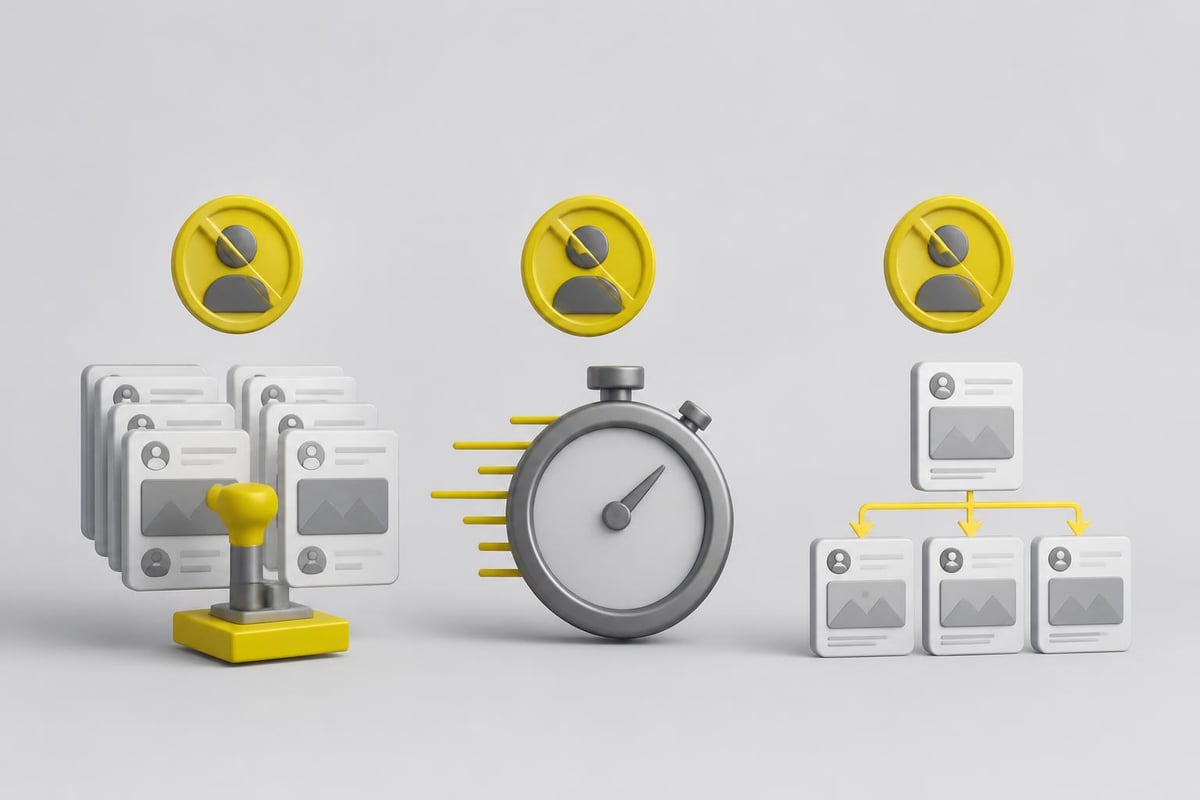
Case Study 1: The Template Recycler
Background: A marketing agency scaled from 20 to 200 monthly proposals using a basic AI template system.
Detection: Clients reported receiving identical opening paragraphs. Upwork's similarity detection flagged the account within three weeks.
Outcome: Permanent account suspension with $4,800 in pending earnings frozen. The agency had maintained a 95% Job Success Score, but automation violations overrode performance metrics.
Lesson: Volume without customization creates detectable patterns regardless of quality metrics.
Case Study 2: The Speed Applicant
Background: Solo freelancer used a Chrome extension to auto-submit proposals within 30 seconds of job postings.
Detection: Temporal analysis revealed superhuman response times—45 proposals in one hour, each submitted 15-30 seconds after posting.
Outcome: 30-day suspension, followed by permanent ban after resuming the same behavior.
Lesson: Speed optimization that exceeds human capability triggers algorithmic flags.
Case Study 3: The Multi-Account Operator
Background: Development agency created five "specialist" accounts using shared AI-generated proposals.
Detection: Content similarity analysis identified identical technical descriptions across accounts applying to the same jobs.
Outcome: All five accounts suspended simultaneously. The shared business address triggered additional scrutiny.
Lesson: Multi-account strategies amplify detection risk when combined with automated content.
Case Study 4: The Review Skipper
Background: Agency implemented AI proposal generation but removed human review to maximize speed.
Detection: Client complaints about irrelevant proposals led to manual review, revealing generic AI-generated content mismatched to job requirements.
Outcome: Account warning, followed by suspension after continued violations. Loss of Top Rated Plus badge.
Lesson: The upwork ai policy explicitly requires human review—skipping this step creates both quality and compliance issues.
Case Study 5: The Scraper User
Background: Freelancer employed a third-party tool that scraped Upwork data and auto-generated proposals outside the platform.
Detection: Upwork's security systems identified unauthorized API usage patterns and web scraping activity.
Outcome: Immediate permanent ban for terms of service violation beyond just AI usage.
Lesson: Tools that violate platform access rules carry significantly higher risk than officially integrated solutions.
These cases share common threads: automation without customization, detectable patterns, and missing human oversight. Agencies avoiding these pitfalls while implementing proposal writing best practices maintain compliant operations.
The Safe Approach: Human-in-the-Loop AI Workflows
Compliant AI usage requires structural safeguards that preserve human judgment while capturing efficiency benefits. The human-in-the-loop approach balances automation with accountability.
Core Principles for Compliant AI Integration
Principle 1: AI generates drafts, humans make decisions
Every proposal undergoes manual review before submission. This isn't performative—reviewers must genuinely assess job fit, customize messaging, and approve content. For agencies managing high volumes, this means structured workflows where specialists handle final approval.
Principle 2: Transparent tool integration
Tools that operate through official channels rather than web scraping demonstrate platform respect. OAuth-based authentication and API integration signal legitimate usage patterns to Upwork's security systems.
Principle 3: Customization at scale
Effective systems provide AI-generated frameworks that humans adapt to specific opportunities. Templates offer starting points, not finished products. Research on freelance software engineering tasks shows that quality work requires context-specific customization even when leveraging AI assistance.
Implementing GetMany's Compliant Workflow
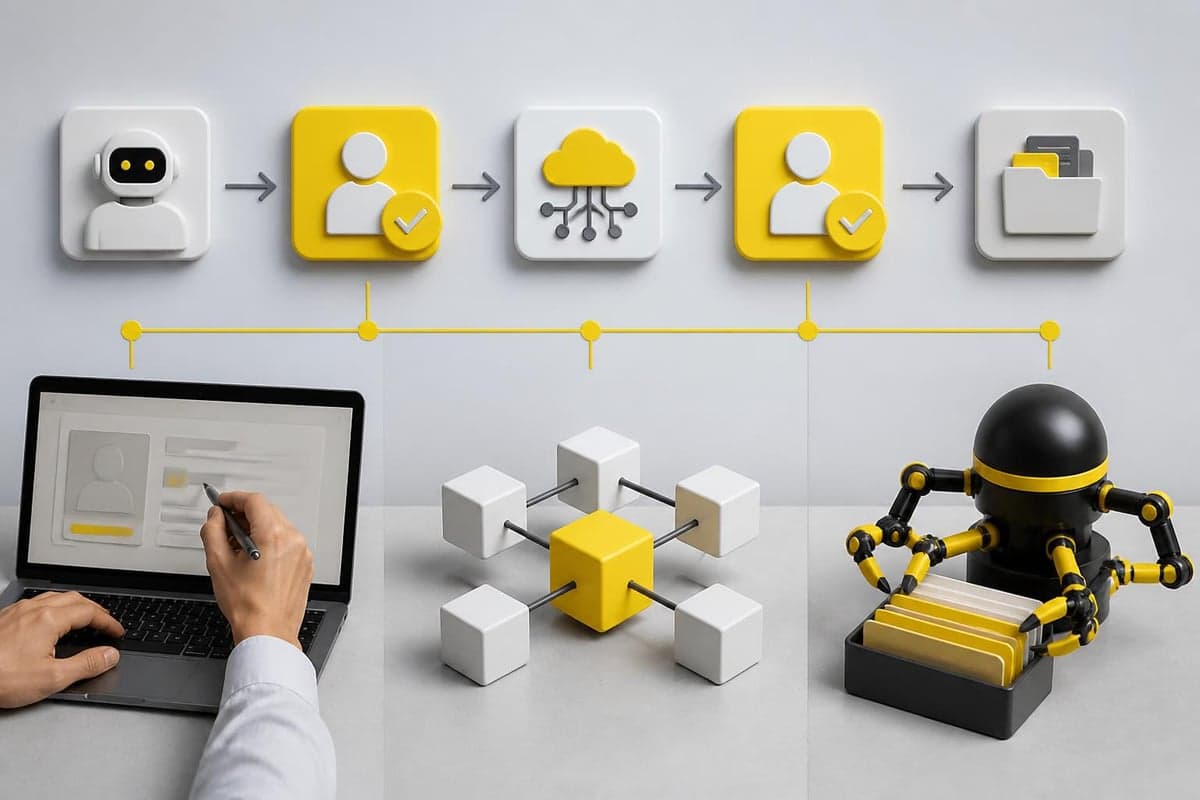
GetMany exemplifies safe AI integration through several architectural decisions:
OAuth-based authentication ensures all platform interactions occur through official channels, eliminating scraping risks. The system accesses Upwork data only through permissions granted by the account holder.
GetMany's Cover Letter Builder is the clearest example of this principle in practice. The tool generates personalized proposal drafts in 5-10 minutes—compared to 30-60 minutes for manual writing—but every draft requires explicit human review and approval before sending. Reviewers assess job fit, add personal touches, and make the final call on each submission. The result: agencies achieve 8-30% win rates while staying fully within Upwork's guidelines.
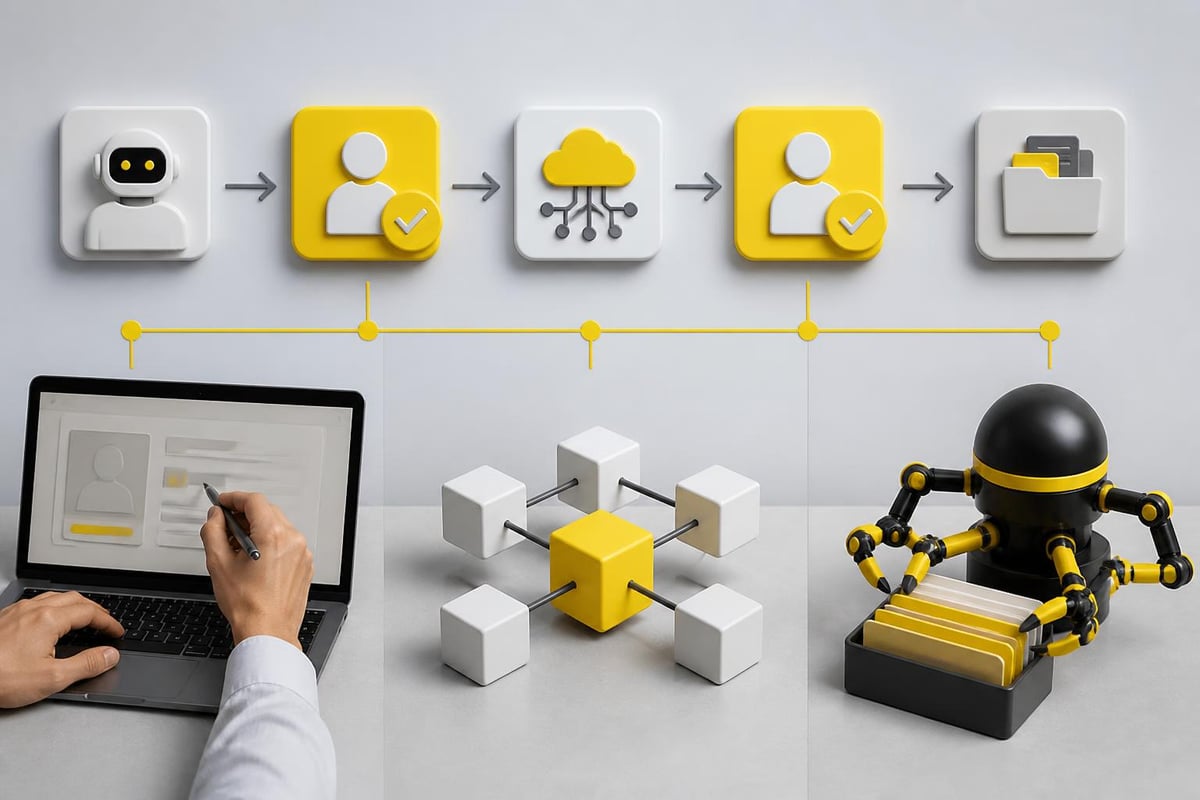
Mandatory review checkpoints extend across the entire workflow. Each AI-generated draft requires explicit human approval before sending, creating an audit trail of human oversight at every step.
Behavioral timing mimics natural human workflows. The system introduces realistic delays between proposal generations and avoids superhuman submission speeds that trigger algorithmic flags.
This architecture addresses every major detection vector the upwork terms of service ai clauses flag — scraping, automation without review, and timing anomalies — while still delivering substantial time savings. It's a practical example of how upwork automation policy compliance gets built into tooling at the architectural level rather than added as an afterthought.
Building Your Compliant Process
Agencies can implement similar safeguards:
- Establish review requirements — Define who reviews AI-generated content and what criteria they apply
- Document customizations — Track how drafts are modified for each submission
- Monitor submission patterns — Ensure your timing and volume remain within human norms
- Train reviewers thoroughly — Human approvers must understand both job requirements and compliance boundaries
- Test incrementally — Gradual volume increases avoid sudden pattern changes that trigger scrutiny
Tool Risk Comparison: Safe vs. Risky AI Platforms
Not all AI tools carry equal risk profiles. Understanding these differences helps agencies make informed technology choices.
| Tool Category | Risk Level | Key Characteristics | Compliance Notes |
|---|---|---|---|
| Official API integrations | Low | OAuth authentication, platform-approved access | Aligned with Upwork's technical requirements |
| Human-in-loop platforms | Low | Mandatory review before send, transparent workflows | Meets policy requirement for human oversight |
| AI writing assistants | Low | Grammar/style improvement only, no automation | Clearly assistive rather than replacement |
| Template generators | Medium | Provide frameworks requiring customization | Safe if properly adapted, risky if copy-pasted |
| Chrome extensions (scrapers) | High | Bypass official APIs, automated data collection | Violate platform access policies |
| Auto-submit bots | Very High | No human review, direct automation | Explicitly prohibited, immediate ban risk |
| Multi-platform tools | Medium-High | Generic automation across platforms | Often use scraping, limited Upwork-specific compliance |
Evaluating New Tools
When considering AI platforms, ask these questions:
- Does it require OAuth authentication or does it scrape data?
- Can it submit proposals without human approval?
- Does it operate through official Upwork APIs?
- Does the provider understand the upwork ai policy?
- Are there documented cases of suspensions related to this tool?
Tools like GetMany's Auto Reply prioritize compliance by design, building safeguards into their core architecture rather than treating them as afterthoughts. When a client responds to your proposal, Auto Reply sends an instant first message—keeping the lead warm—while you review the conversation and take over personally.
Making AI-Drafted Proposals Sound Authentically Human
Even when using compliant tools, proposals must demonstrate genuine human involvement. These practical techniques add authenticity to AI-generated drafts.
Technique 1: Inject Personal Voice Markers
Before (Generic AI):
"I am very excited about this opportunity to work on your web development project. With extensive experience in React and Node.js, I am confident I can deliver exceptional results. I look forward to discussing your requirements."
After (Humanized):
"Your approach to the member dashboard caught my attention—especially the real-time notification system. I built something similar for a fintech client last quarter (you can see it in my portfolio under 'Sentinel Alerts'). Happy to walk through how we solved the state management challenges."
Key differences: Specific reference to project details, concrete portfolio connection, conversational tone, technical specificity.
Technique 2: Include Imperfect Elements
Perfect grammar can actually harm authenticity. Strategic informality signals human authorship:
- Occasional contractions ("I'll" instead of "I will")
- Minor phrasing variations from standard templates
- Natural hedging language ("probably," "might," "typically")
- Incomplete sentences for emphasis (when appropriate)
Don't manufacture errors, but don't obsessively polish away all conversational elements either.
Technique 3: Reference Specific Portfolio Items
AI generates vague capability statements. Humans cite concrete examples:
- "My third portfolio item shows exactly this kind of API integration"
- "The brand guidelines I created for [Client Name] used a similar color psychology approach"
- "You can hear my voiceover style in the explainer video (second row, right)"
This specificity proves you've actually reviewed the job and connected it to your work.
Technique 4: Ask Job-Specific Questions
Generic proposals make statements. Effective proposals ask informed questions:
- "Are you handling the payment gateway integration in-house, or should my scope include Stripe setup?"
- "I noticed you mentioned 'eventually' for the mobile app—is the web platform confirmed as phase one?"
- "Your industry has specific HIPAA requirements around data storage. Are you working with a compliance consultant, or do you need that expertise included?"
Questions demonstrate engagement and project understanding that AI alone cannot generate.

Technique 5: Mirror Client Communication Style
Analyze the job posting's tone and match it:
- Formal corporate posting: Maintain professional structure, use industry terminology
- Casual startup posting: Adopt conversational tone, demonstrate culture fit
- Technical detailed posting: Respond with technical depth and architectural specifics
- Results-focused posting: Lead with metrics and outcomes from past projects
This mirroring requires human judgment about appropriate tone—something AI struggles to calibrate correctly.
Frequently Asked Questions About Upwork's AI Policy
Can Upwork Really Detect AI-Generated Proposals?
Yes — Upwork uses machine learning models trained on millions of proposals to detect AI-generated content. The platform analyzes linguistic patterns, timing behaviors, structural similarities, and cross-account correlations simultaneously. Detection capabilities have improved significantly through 2025, with fewer false positives as the models mature.
Is Using ChatGPT or Claude to Draft Proposals Against Upwork's Rules?
No. Using AI tools for drafting proposals is explicitly permitted under the upwork ai policy. What's prohibited is automated submission without human review. You may generate drafts with any AI tool — ChatGPT, Claude, or dedicated platforms — as long as you personally review, customize, and approve each proposal before it's sent.
What Happens If Upwork Flags My Proposal as AI-Generated?
Initial flags typically result in warnings rather than immediate suspension. Upwork may request clarification about your proposal process. Responding honestly about using AI assistance (while emphasizing human review) usually resolves first-time flags. Repeated violations or evidence of fully automated systems leads to suspension. Account standing, job success score, and client feedback history influence enforcement decisions.
Are There Safe AI Tools for Upwork Proposals?
Yes. Tools that integrate through official APIs, require human approval before submission, and operate transparently present minimal risk. Platforms like GetMany that implement human-in-the-loop workflows comply with platform policies. Avoid Chrome extensions that scrape data, auto-submit tools, and platforms that bypass official integration channels.
How Can I Tell If My Proposals Sound Too AI-Generated?
Warning signs include: formulaic openings, excessive formality, generic enthusiasm without specifics, perfect grammar without personality, lack of concrete portfolio references, and failure to ask client-specific questions. Read your proposal aloud—if it sounds like corporate boilerplate rather than a person speaking, it needs humanization. Compare it to your natural communication style in messages.
Will Upwork Ban Me for High Proposal Volume?
Volume alone doesn't violate policies, but unnatural patterns trigger scrutiny. Sudden increases from 10 to 100 proposals weekly, submissions outside your timezone's waking hours, or superhuman response times (proposals within seconds of job posting) all flag potential automation. Gradual scaling with realistic human timing patterns remains acceptable.
Can I Use AI for Client Messages After Winning Projects?
The same principles apply: AI assistance is permitted, fully automated responses are prohibited. Each client message should receive genuine human review before sending. Upwork's terms require that "you personally perform the services" contracted, which includes communications. Research on measuring AI system progress emphasizes the importance of human accountability in AI-augmented workflows, a principle Upwork enforces through its policies.
Understanding the upwork ai policy and implementing compliant workflows protects your agency's most valuable asset: platform access. The distinction between productive AI assistance and risky automation determines long-term success in 2026's competitive marketplace.
GetMany helps 300+ agencies automate 85% of Upwork workflows while keeping human oversight at every critical step. From Cover Letter Builder drafts that require your approval before sending, to Auto Reply that keeps leads warm while you step away from the screen—every feature is built around Upwork's compliance requirements, not around them.
Or book a 20-minute demo to see a compliant AI workflow in action.