
The Only Upwork Tool That Automatically Picks the Right File for Every Proposal
While competitors send the same file to everyone - GetMany reads the job type, client budget, and industry, then attaches the exact portfolio piece that will close it. Automatically.




10,000+
proposals sent with smart attachments
20%
avg response rate (vs 8–12% industry avg)
300+
Upwork agencies using Getmany
0
competitors with AI attachment selection
The hidden cost of generic Upwork proposals
Your Competitors Send Generic Proposals.
You Can't Afford To.
You wrote a solid cover letter — then sent the same files to everyone. A copywriting job gets your dev case studies. Clients notice. And they move on.
Without Smart Attachments
Manually pick a file for every proposal
Same portfolio sent to a $500 and a $50,000 client
Forget to attach files in 30% of cases
Response rate: 8–12%
With Getmany AI Attachments
AI reads the job, budget, and client type
AI attaches the right file automatically
Fintech client gets a fintech case study. Enterprise gets an enterprise deck. Automatically.
Never miss an attachment — 100% automatic
Response rate: 20%+
Every other Upwork tool. Every. Single. One.

GigRadar - no attachments at all

ProposalHero - manual upload only, no AI
Upwork native - manual upload only, no AI
Getmany - AI Smart Attachments (only us)
How GetMany AI Picks the Right File for Every Proposal
Set Your Rules Once. AI Attaches the Right Files to Every Proposal.
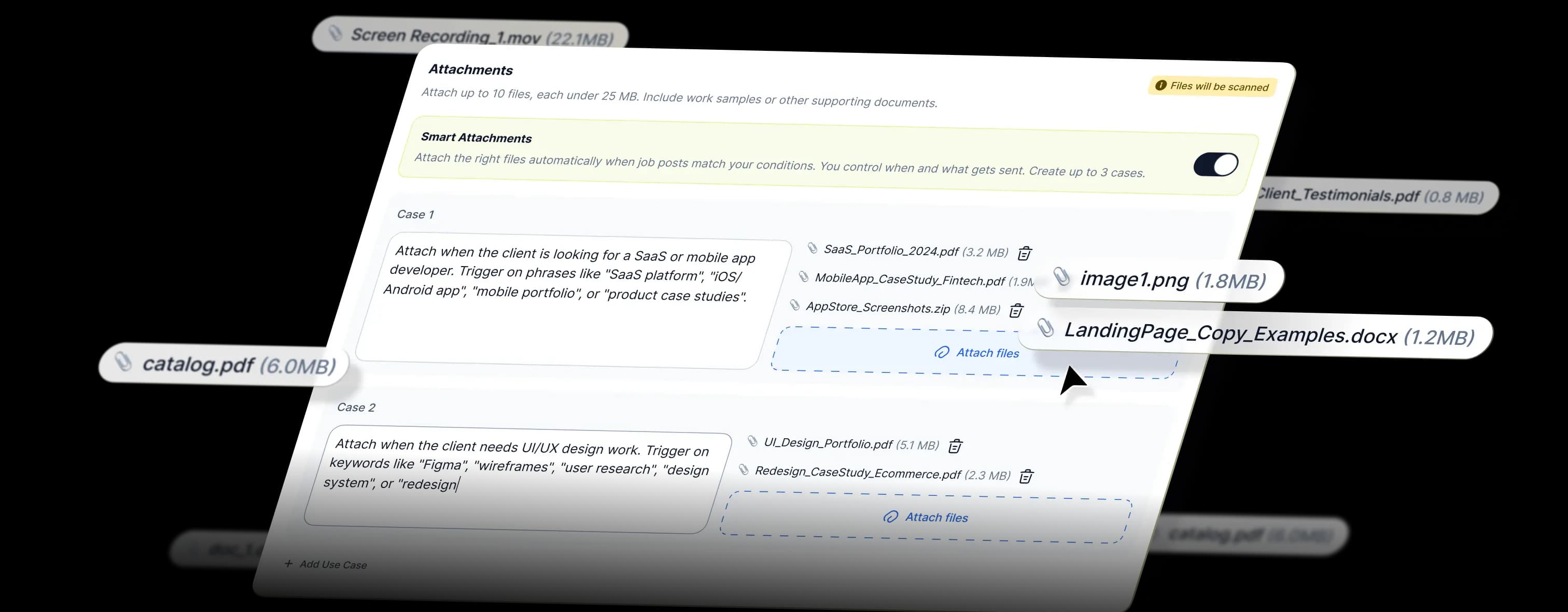
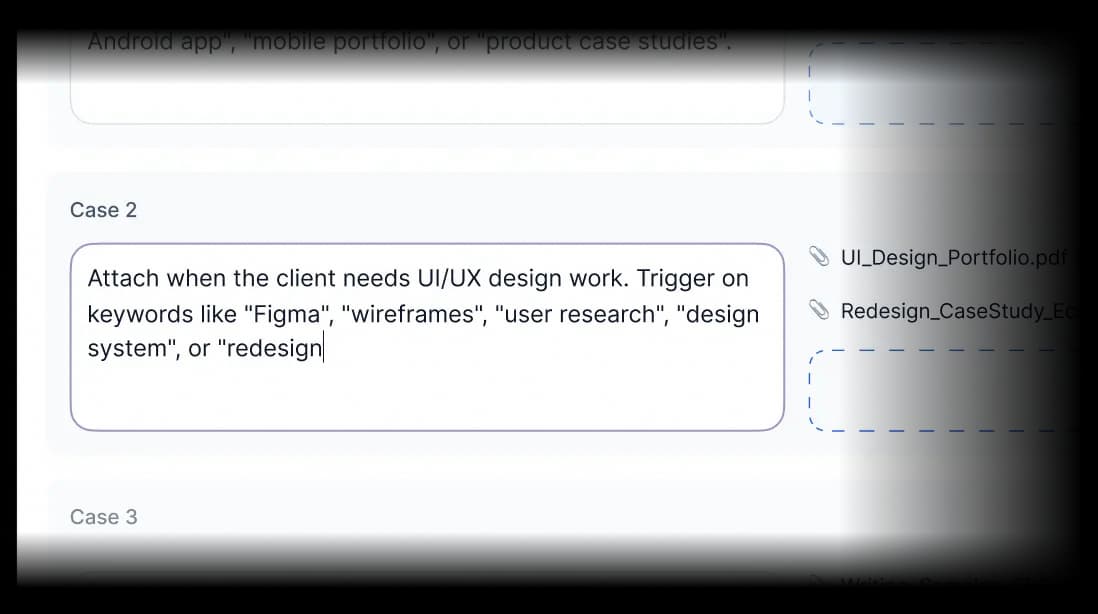
Write conditions in plain language. AI reads each job and decides what goes out - automatically, on every proposal.
How it works:
AI Reads the Job
It analyzes the job type, client budget, job description, and hiring history - before a single proposal goes out.
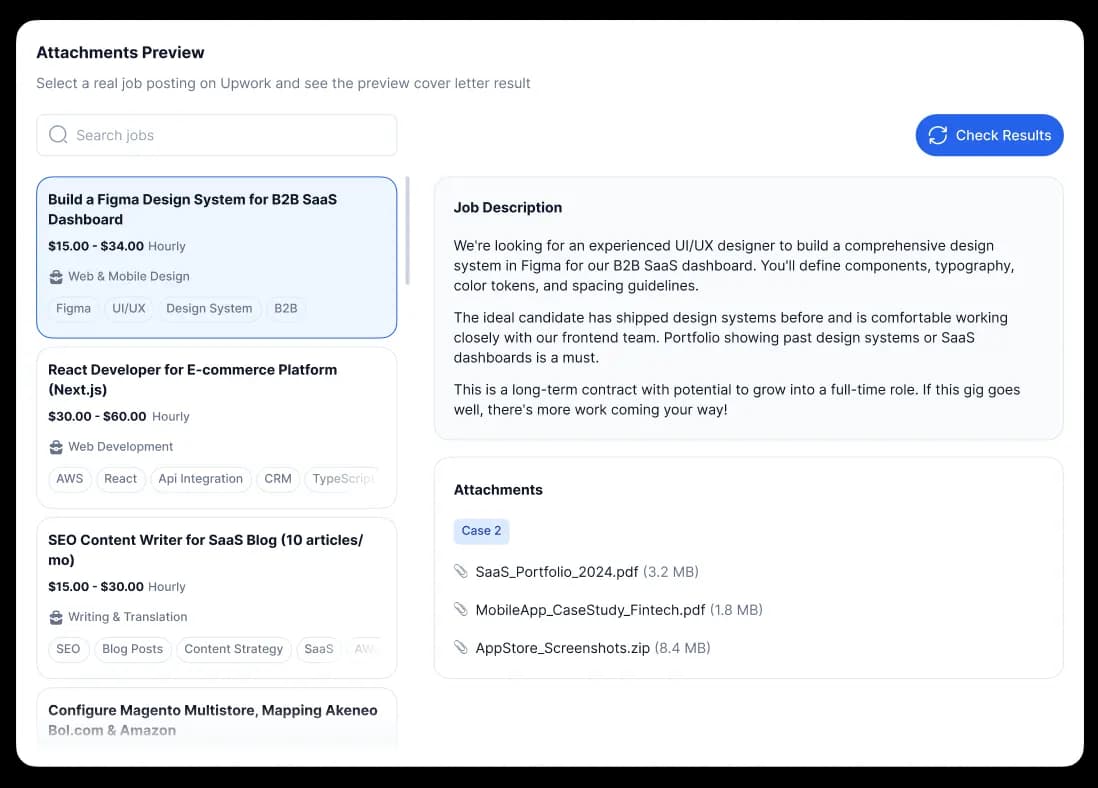
Example: "Mobile app for fintech startup, $10k budget, 5 previous hires".
Matches Your Library
AI scans your uploaded files and finds the most relevant one for this specific job.
Example: picks fintech-portfolio.pdf instead of generic-work-samples.pdf.
Auto-Attaches
The right file is attached to the proposal automatically. No clicks, no manual work.
Example: the client sees exactly the case study they need - without you lifting a finger.
You Get Hired
A relevant attachment means a higher chance of getting a response.
Average across GetMany agencies: +20% response rate.
Features Built for Agencies That Actually Win Jobs
What Makes Smart Attachments Work
Every part of Smart Attachments was built to solve one problem: the right files, sent to the right client, every time. Here's what's inside.
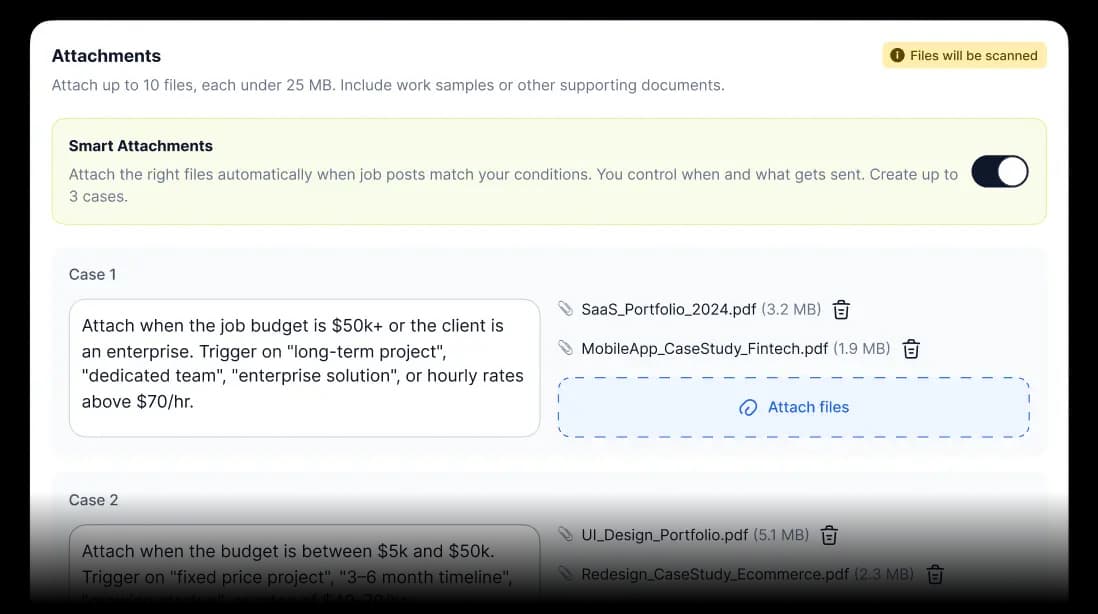
AI File SelectionOnly Getmany
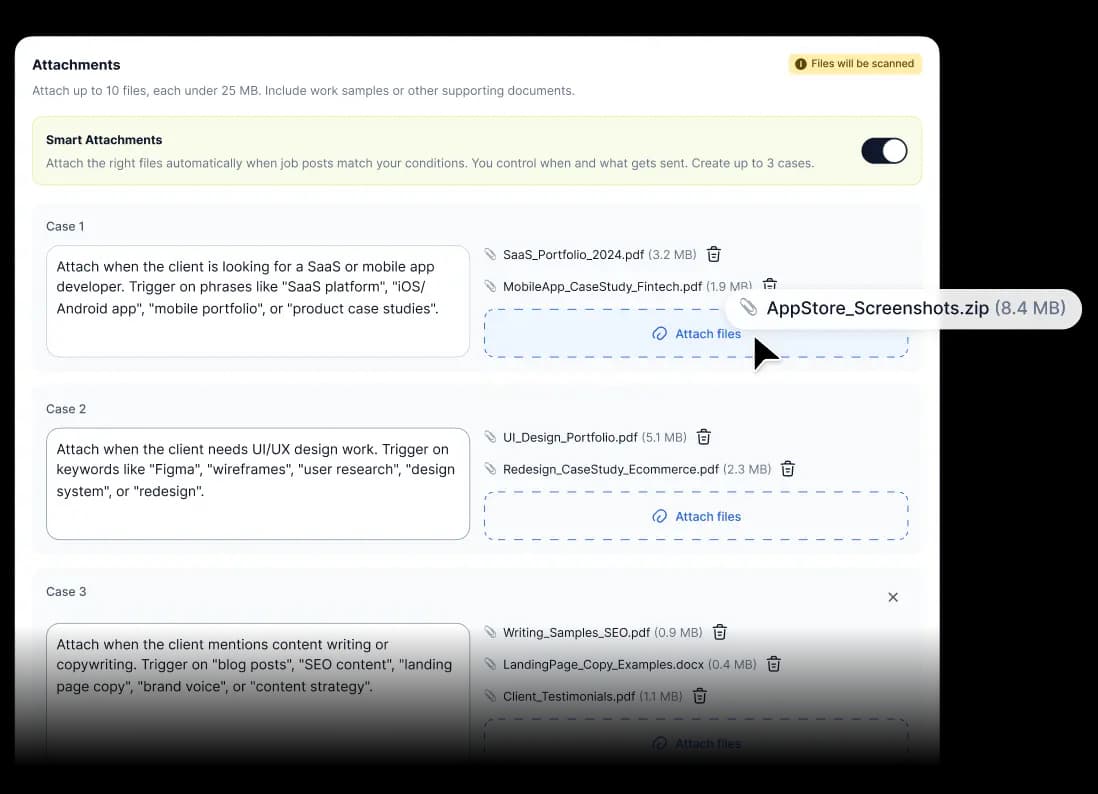
AI analyzes every job post and automatically picks the right file from your library. No manual selection, no guesswork.
Smart File LibraryOnly Getmany
Upload portfolios, case studies, testimonials, and process decks - AI knows what to use and when.
Job-Type MatchingOnly Getmany
Fintech job → fintech case study. E-commerce → e-commerce portfolio. Design → design deck. No manual setup required.
Budget-Aware SelectionOnly Getmany
For $50k+ jobs - enterprise presentation. For small business clients - portfolio highlights. Automatically.
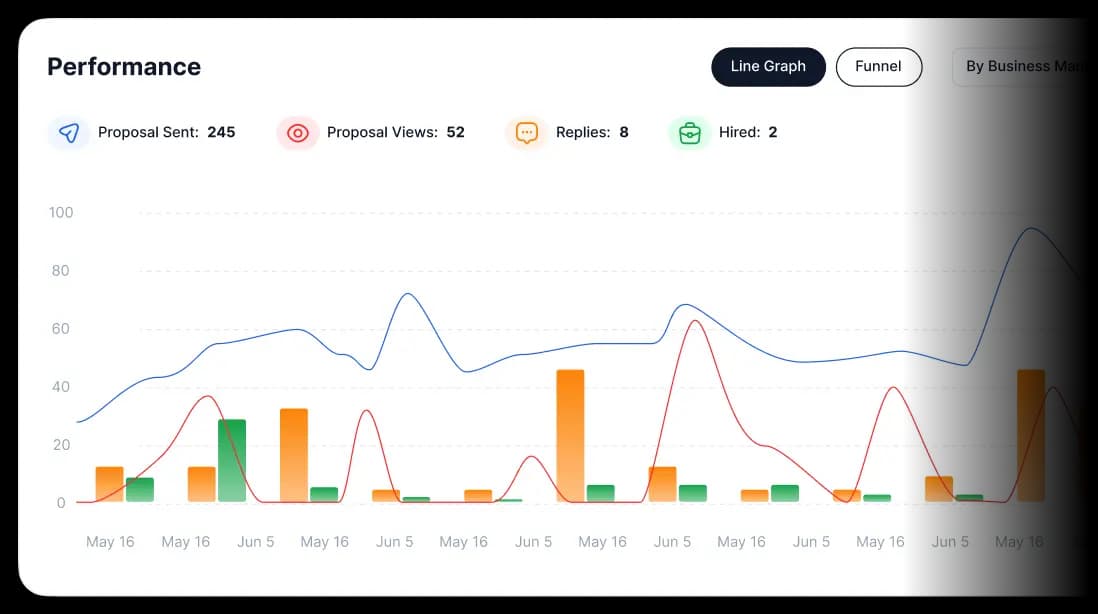
Attachment AnalyticsOnly Getmany
See which files drive more responses. Optimize your library based on real data.
Results
How Upwork Agencies Win More Contracts with Smart Attachments
Set it once. Let every proposal speak directly to the client.
10,000+
proposals sent with smart attachments
20%
avg response rate (vs 8–12% industry avg)
300+
Upwork agencies using Getmany
0
competitors with AI attachment selection
Strategic Advantage: Relevant work samples, zero extra effort - clients see exactly what they need to say yes.
Frequently Asked Questions
The information you need to make the most of our platform.
Related Resources
Customer Stories
Pricing Plans
The Power of Social Proof in Upwork Proposals
Upwork Proposal Automation: Complete Guide for Agencies in 2026
Case Study Proposals: When and How to Use Them
How to Personalize Proposals at Scale Without Losing Quality
Ready to 3× Your Response Rate?
Join 300+ agencies that send the right file to every client - automatically. While your competitors are still doing it manually.